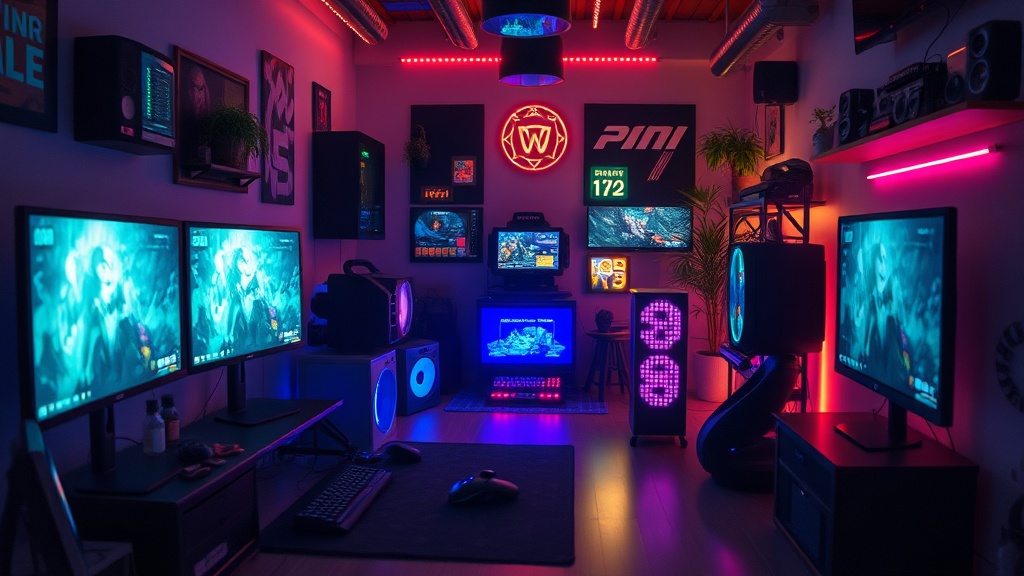
Refining Your Physical Environment for Long-Term Gaming Health

A study by the Ergonomics Occupational Health group suggests that improper seated posture during prolonged computer use can lead to significant musculoskeletal strain within just a few years. This isn't about a single bad session; it's about the cumulative weight of how you sit, where your eyes rest, and how your limbs interact with your gear. If you're treating your gaming setup as a stationary cockpit, you need to think about the mechanics of your body. This guide covers the physical adjustments and environmental shifts that help keep your joints healthy and your focus sharp, long after the initial excitement of a new release wears off.
The goal here isn't to turn you into a rigid professional, but to ensure you don't pay the price in physical discomfort later. We often get lost in the high-octane moment—the clutch play, the boss fight, the intense raid—and forget that our bodies are the actual hardware running the game. If the hardware fails, the software doesn't matter. We'll look at how to adjust your peripherals, your seating, and your lighting to build a sustainable setup.
How do I set up my monitor for better posture?
Most players make the mistake of looking down or tilting their heads forward to see the action. This puts immense pressure on your cervical spine. Your monitor height is the foundation of a healthy gaming session. Ideally, the top third of your screen should be at eye level. This keeps your neck in a neutral position, preventing that dreaded "gamer lean" that leads to tension headaches.
If you're using a laptop, stop. Using a laptop directly on a desk is a recipe for disaster. Even if you use an external keyboard, the screen is far too low. Grab a laptop stand or a stack of sturdy books to raise the screen to eye level. This single change helps prevent the slouching that ruins your upper back. If you're on a desktop, consider a monitor arm. These allow you to pull the screen closer or push it away, adjusting for your distance and focal depth throughout the day. A monitor arm also gives you the freedom to change your viewing angle without moving your entire desk.
Check out the detailed ergonomic standards provided by OSHA regarding computer workstation setups to see how professional environments handle these issues. Applying these principles to your home setup can make a massive difference in how you feel after a three-hour session.
What kind of chair actually supports a gamer?
The market is flooded with "gaming chairs" that look like racing seats. While they look cool, many of them lack the actual support needed for long-term sitting. A racing-style seat is designed to hold a driver in place during high-G turns, not to support a human spine during an intense tactical shooter match. Often, these seats are too stiff or lack lumbar depth adjustment.
When choosing a seat, look for these features:
- Adjustable Armrests: They shouldn't just go up and down; they should move in and out to prevent shoulder strain.
- Lumbar Support: This is the curve at the bottom of your spine. A good chair should have a way to adjust this to fit your specific back shape.
- Seat Depth: You should be able to sit with your back against the chair while still having a small gap between the seat edge and the back of your knees.
Don't be afraid to look at high-quality office chairs instead of branded gaming chairs. A well-designed task chair often offers better breathability and more precise adjustments. A good chair is an investment in your longevity, not just a piece of furniture. If you find yourself constantly fidgeting or shifting to find comfort, your chair is failing you.
How can lighting affect my eye strain and focus?
Eye fatigue is a silent killer of focus. If you're playing in a pitch-black room with only a bright screen, you're creating high contrast that forces your pupils to work overtime. This leads to dry eyes and blurred vision. You need ambient light to soften the transition between the screen and the darkness of the room.
Try a few different approaches:
- Bias Lighting: Place an LED strip behind your monitor. This casts a soft glow on the wall behind the screen, reducing the harshness of the light and making the screen feel more integrated into the room.
- Indirect Lighting: Use lamps that bounce light off the ceiling or walls rather than direct bulbs pointing at your face.
- Natural Light Management: If you play near a window, ensure you have blinds or curtains. Glare on your screen isn't just annoying; it forces you to lean in closer, ruining your posture.
- Monitor Brightness: Don't let your monitor be at 100% brightness if the room is dim. Match your screen's luminance to your environment.
For more on how light affects human perception and comfort, the National Research Council offers insights into environmental factors that impact human performance and health. Adjusting your lighting isn't just about aesthetics; it's about protecting your vision.
Beyond the gear, think about your desk surface. Is it too high? If your elbows are being pushed upward, you're creating tension in your trapezius muscles. Your forearms should be parallel to the floor when your hands are on the keyboard and mouse. This allows for a relaxed grip, which is vital for precision and preventing carpal tunnel issues. If your desk is too high, don't just sit higher; consider a keyboard tray or a height-adjustable desk.
Finally, remember the importance of movement. Even the most expensive ergonomic setup becomes harmful if you stay in it for six hours straight. Every hour, stand up. Stretch your wrists. Look at something at least twenty feet away to reset your eye focus. A healthy gamer is a player who knows when to step away from the screen to preserve their most important tool: themselves.