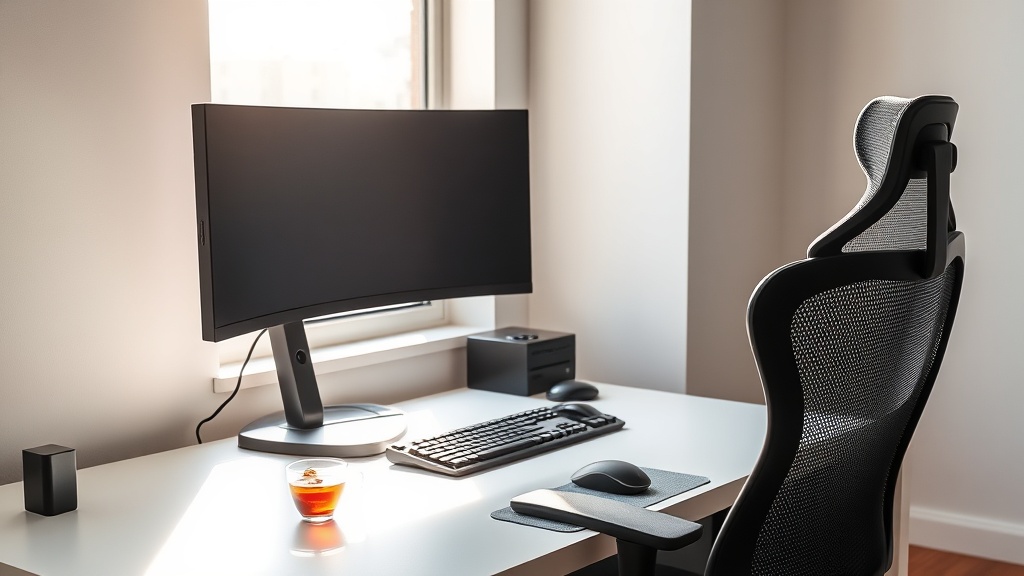
Spring Refresh: Audit Your Setup Before Summer Grinding Starts

Before you get three months deep into summer and realize your wrist has been quietly dying, do this one thing: walk your setup like you've never seen it before.
That's the actual move. Not buying a new chair. Not rerouting cables for the aesthetic. Not RGB anything. Just—look at what you've built, with fresh eyes, and ask what's working against you.
I learned this the expensive way. Early 20s, grinding CS:GO on a desk that was two inches too high, in a chair that had no lumbar support, with my keyboard so far from the edge that I was reaching for every keystroke. I thought I was being serious about my game. What I was actually doing was building a repetitive strain injury that sidelined me for months and cost me more in physical therapy than I ever made from competitive play.
Spring is the right moment for this. The light changes. You see your space differently. And if you're like me, you're already thinking about the game launches coming in Q3, the summer tourneys you want to be sharp for. Right now—before the grind starts—is exactly when to audit.
Here's how I do it.
Step One: The Baseline Check (Desk + Chair)
Sit down. Don't adjust anything. Just sit the way you naturally sit after two hours of play.
Desk height. Your elbows should hit roughly 90 degrees when your forearms are resting on the surface. If you're hunching toward the screen or your shoulders are creeping up toward your ears, your desk is too high for your chair setup. Standard desks run 28–30 inches. That's built for the average person's average chair. You are not average, and "average" has no business setting your ergonomic baseline.
Chair support. Sit back fully. Is there lumbar contact? Not just "the chair has a lumbar bump somewhere behind you" contact—actual support, at the curve of your lower back. Most gaming chairs are garbage for this. The racing-seat bucket style tends to push your pelvis into a posterior tilt—that scrunched-tailbone position that looks aggressive but works against the natural curve of your lumbar spine over a long session. If you're in one of those, I'm not telling you to throw it out today. I am telling you to at least get a lumbar pillow and stop lying to yourself.
The reach test. Put your hands on your keyboard and mouse. Are your wrists bent upward (extended) to reach them? That's wrist extension. Hold that position for three hours a night, six nights a week, and your tendons will eventually send you a strongly worded letter. Keyboard should be close enough that your wrists stay neutral or very slightly flexed downward. If you're reaching, the keyboard tray is wrong, the desk is wrong, or the chair is set wrong. (This is exactly the kind of thing that makes a gaming microbreak protocol non-optional between matches.)
Step Two: Monitor Audit
Eyes closed. Open them. Where did they land?
The ergonomic target: the top edge of your monitor should be roughly at eye level. Your eyes naturally rest at a slight downward angle—around 15 to 20 degrees below horizontal—so when the top of the screen is at eye level, your gaze lands in the center of the screen without you tilting your neck up or folding it down. That's the zone you're aiming for.
If you're looking up at your monitor, it's too high. (This is rare but happens with monitor arms people set once and never revisit.) If you're tilting your neck down to catch the bottom HUD elements in a shooter, it's too low.
Distance: arm's length. Literally extend your arm toward the screen—your fingertips should brush it or get close. Too close and you're getting eye fatigue. Too far and you're squinting.
If your monitor is sitting directly on your desk on its stock stand, there's a reasonable chance the height is wrong. A basic monitor arm—you can find a solid one for under $60—lets you dial in both height and depth in about ten minutes. This is one of the few gear purchases I'll actually endorse in this post, because it's a function spend, not an aesthetic one.
Step Three: The Friction Inventory
This is where you get honest about the stuff that's been silently annoying you.
Cables. Not "messy cables are ugly" annoying. Functionally annoying. Is there a cable that crosses your mouse pad? Is there a bundle behind the monitor that forces your monitor further from your face than it needs to be? Is there a cable routing situation that means you can't push your keyboard in far enough? These aren't decoration problems. These are physical constraint problems.
Monitor arm drift. If you have a monitor arm and your monitor slowly tilts or drops during a session, that arm is not doing its job. Tighten the tension, or replace it. A drifting monitor means you're unconsciously compensating your neck angle to follow it.
The "I'll deal with it later" pile. We all have one. The headset stand that's in a slightly wrong spot so you reach awkwardly to grab it. The secondary monitor that's too far right. The speaker that's in front of your water glass, which means you never have your water where you can actually see it, so you don't hydrate, so you're running sessions dry. Small things. Compounding things.
Write them down. Actually write them down, even if it's a notes app list. Getting it out of your head makes it real.
Step Four: The Elimination Round
Here's where most spring cleaning guides go wrong. They say: "Now upgrade!" And then your space is just as full as before, except it cost you $400.
Before anything comes in, something leaves.
Look at every object on and around your desk. Ask: does this earn its place? Not "do I like it" or "did it cost money"—does it earn its place. Is it functional in my setup, today, as I actually use this space?
RGB light strips you stopped looking at six months ago: gone.
Collectibles gathering dust directly in your sightline: boxed up or relocated.
Cables zip-tied together and routed to hardware you don't even use anymore: pulled.
That second set of headphones you keep around "just in case": drawer.
The goal is negative space. Not minimalism as an aesthetic—negative space as function. A clear desk means less visual noise during sessions. Less visual noise means less cognitive load. Less cognitive load means you're spending your mental energy on the game, not filtering out the clutter you've normalized.
Step Five: The Intentional Refresh
Now—and only now—consider what needs to come in.
For most people who do this audit honestly, the list is short (prices approximate, check current listings):
- Monitor arm if you don't have one or yours is broken (~$40–60 for something solid)
- Cable management tray that mounts under the desk, if cables are genuinely causing physical interference (~$15–25)
- Footrest, if your chair height is set for your desk but leaves your feet dangling, which tilts your pelvis forward and kills your lower back (~$25–40)
- Lumbar support if your chair doesn't have real built-in support
That's usually it. Maybe a better desk pad if yours is torn and curling at the edges. Maybe a USB hub that actually lives in a useful spot instead of on the floor.
Notice what's not on the list: a new chair, a new monitor, a new keyboard. Those are big-spend decisions that require more than a spring audit to justify. If your chair is actively broken, yes, deal with it. If it's just not the best chair—you probably don't need to replace it yet. Fix the height and the lumbar first. See if the problem is actually the chair, or the configuration. (If you're genuinely considering a chair upgrade, the real cost-per-hour ROI math changes what you should actually buy.)
Make This Seasonal
The audit works because you do it before the high-volume period, not during it.
Spring: before summer grind season. (And once you're in it, the 2-hour rule is what keeps you from disappearing into 8-hour sessions.)
Fall: before the holiday release window drops and you're playing five hours a night without realizing it.
Put a recurring calendar event on September 15th right now. Call it "Setup Audit." When you hit it, you'll do exactly what I described above, and you'll catch whatever crept back in—because it always does.
Your body is your most important piece of hardware. It doesn't have a warranty. It doesn't get a firmware update when the manufacturer finds a bug in your tendons.
You know how I know this. I lived the alternative. Audit now. Then go play.
— Elias
You Might Also Enjoy
- Pre-Game Warmup: What I Wish I Knew Before CS:GO Gave Me RSI — Body prep before long sessions
- Spring Gaming Setup Reset: 30-Minute Ergonomic Audit — A quicker audit if you're short on time