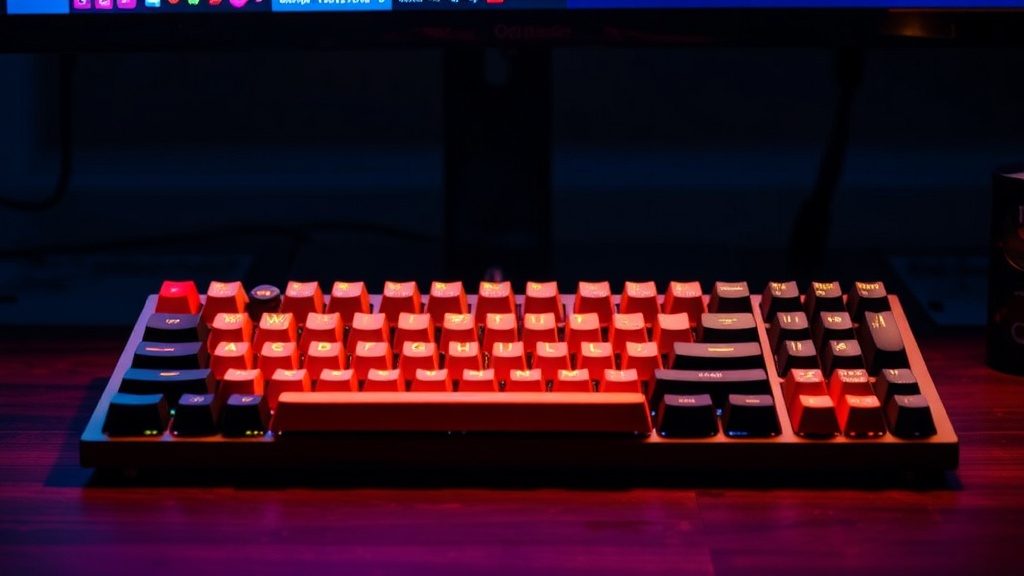
Why You Should Start Using a Mechanical Keyboard

You are halfway through a high-stakes match of Counter-Strike 2 or a complex raid in Final Fantasy XIV. You go to execute a crucial movement or a precise ability, but the key feels mushy, the actuation is inconsistent, and you realize you’ve actually pressed the key, but the game didn't register the input. This isn't a lag issue or a high-ping problem; it is a hardware limitation. This guide explains why upgrading from a standard membrane keyboard to a mechanical one is a fundamental investment in your gaming performance, your physical longevity, and your overall tactile experience.
The Fundamental Difference: Membrane vs. Mechanical
Most standard keyboards use a membrane system. Underneath the keycaps is a single, continuous sheet of rubber or silicone. When you press a key, you are physically pushing a plunger through that rubber to make contact with a circuit board. This creates a "mushy" feeling and often requires you to bottom out the key—pressing it all the way to the floor—to ensure the input registers. This constant heavy impact can lead to finger fatigue over long sessions.
Mechanical keyboards operate on a completely different principle. Each individual key has its own dedicated physical switch. This switch consists of a housing, a stem, and a spring. Because every key is an independent mechanical unit, the feedback is consistent, the durability is significantly higher, and most importantly, you do not need to bottom out the key to register an action. This distinction is vital for high-level play where millisecond-perfect timing is the difference between a win and a loss.
The Three Main Switch Types
When shopping for a mechanical keyboard, you will encounter three primary categories of switches. Choosing the right one depends on your playstyle and your sensitivity to noise.
- Linear Switches (e.g., Cherry MX Red, Gateron Yellow): These switches have a smooth, consistent keystroke from top to bottom with no tactile bump or click. They are favored by many FPS players because they allow for rapid, uninterrupted key presses, which is essential for movement-heavy games.
- Tactile Switches (e.g., Cherry MX Brown, Kailh Box Brown): These provide a noticeable "bump" halfway through the press. This bump tells your brain that the key has been actuated without needing to press it all the way down. They are excellent for players who want feedback without the loud noise of a clicky switch.
- Clicky Switches (e.g., Cherry MX Blue, Razer Green): These offer both a tactile bump and an audible "click" sound. While they provide the most satisfying feedback for typing, they can be highly distracting in a multiplayer environment or irritating to people in the same room.
Why Performance Demands Mechanical Precision
In competitive gaming, "input latency" is a term frequently discussed, but many players overlook the physical component of that latency. A membrane keyboard often has a higher "debounce delay," which is the time the keyboard waits to ensure a single press isn't actually multiple accidental inputs. Mechanical switches, especially high-end ones, are engineered to minimize this delay.
Furthermore, the consistency of a mechanical keyboard helps with muscle memory. If you are playing a rhythm game or a fighting game where you need to master timing and combos, you need to know exactly when a key will actuate. On a membrane board, the resistance of the rubber can change as it ages or even as it warms up during a long session. On a mechanical board, a Cherry MX Red switch will feel exactly the same at hour one as it does at hour five.
N-Key Rollover and Ghosting
If you have ever been frustrated because you pressed three keys at once and the game ignored one of them, you have experienced "ghosting." This is common on cheaper keyboards that cannot handle multiple simultaneous inputs. High-quality mechanical keyboards feature N-Key Rollover (NKRO). This means you can press as many keys as you want simultaneously, and every single one will be registered by the computer. For gamers playing complex titles like StarCraft II or Dota 2, where dozens of key combinations are used in rapid succession, NKRO is a non-negotiable requirement.
The Ergonomic and Health Perspective
As someone who has spent years at a desk, I have learned that the "grind" is only sustainable if you take care of your body. The repetitive, heavy-handed striking required by membrane keyboards can contribute to long-term issues like tendonitis or general finger fatigue. Because mechanical switches require less force to actuate, you can play with a lighter touch.
The ability to use a "lighter" keystroke means you aren't constantly slamming your fingers into the base of the keyboard. This reduces the jarring impact on your joints. When selecting a keyboard, look for models that allow you to adjust the angle or pair them with a wrist rest. This ensures your wrists remain in a neutral position, preventing the strain that often leads to burnout and physical discomfort.
Customization and Longevity
One of the most overlooked benefits of a mechanical keyboard is its lifespan. A standard membrane keyboard is often a disposable item; once the rubber degrades or a single key fails, the entire unit is usually junk. Mechanical switches are rated for tens of millions of keystrokes. Many high-end models, such as those from Keychron or Varmilo, are even "hot-swappable."
Hot-swappability is a game-changer for the budget-conscious or the enthusiast. It means you can pull a switch out of the keyboard with a small tool and snap a new one in without any soldering. If you find that your "W" key is starting to feel slightly different or if you want to try a more tactile switch for typing, you can upgrade individual components rather than buying a whole new board. This modularity allows your setup to grow and evolve with your needs.
Aesthetic and Sensory Satisfaction
Gaming is an immersive experience. While it might seem superficial, the sensory feedback of your peripherals contributes to your "flow state." The sound of a well-tuned mechanical keyboard—whether it is the deep "thock" of a heavy tactile switch or the crisp snap of a linear one—can make the act of playing more engaging. This is similar to why high-quality audio matters in games; it completes the atmosphere.
You can also customize the aesthetics through keycaps. Whether you prefer a minimalist, professional look with PBT plastic keycaps or a vibrant, RGB-heavy setup that matches your PC's internal lighting, the options are virtually limitless. This level of personalization makes your workspace feel like a dedicated sanctuary rather than just a desk with a computer on it.
How to Choose Your First Mechanical Keyboard
If you are ready to make the jump, do not feel pressured to buy the most expensive enthusiast board immediately. Follow these three steps to ensure a smooth transition:
- Identify your primary use case: If you play primarily FPS games like Valorant, look for linear switches. If you do a lot of writing or RPGs, look for tactile switches.
- Check the layout: Do you need a full-sized keyboard with a number pad, or would a Tenkeyless (TKL) or 60% layout be better to save desk space and improve mouse movement?
- Verify the build quality: Look for a keyboard with a solid frame (preferably metal or high-quality plastic) and, if possible, a hot-swappable PCB. This ensures your investment will last for years.
Upgrading to a mechanical keyboard is more than just a trend; it is a practical upgrade to your interface with the digital world. It provides the precision required for competitive play, the comfort required for long-term health, and the customization required for personal expression. Take the time to find the switches that feel right for you, and your hands—and your gameplay—will thank you.