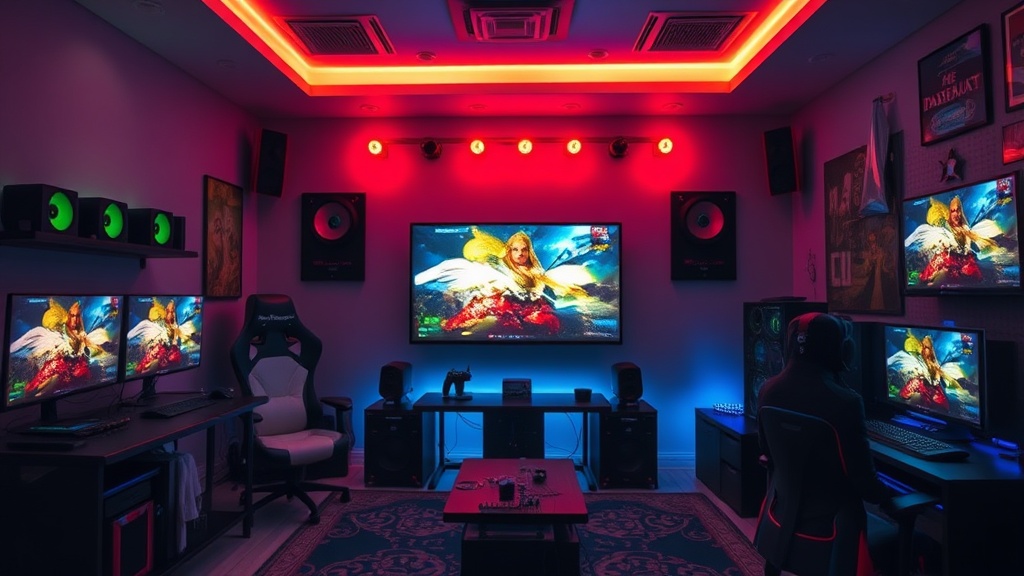
Building a Pro-Level Gaming Room on a Budget

The blue glow of a monitor reflects off a clean desk, the hum of a cooling fan provides a steady white noise, and the only thing between you and a high-tier setup is a plan. Building a high-end gaming environment doesn't require a professional salary or a credit card with no limit. This guide breaks down how to prioritize your spending, where to cut corners without losing performance, and how to build a space that actually supports your well-being.
How Much Does a Pro-Level Gaming Setup Cost?
A functional, high-quality gaming setup can cost anywhere from $1,500 to $5,000 depending on your hardware choices, but you can build a decent foundation for much less if you prioritize smartly. Most people blow their entire budget on a flashy RGB keyboard before they even buy a decent chair. That's a mistake. You need to think about the hierarchy of needs: your PC is the brain, but your peripherals and ergonomics are the nervous system.
If you're starting from scratch, don't try to buy everything at once. I spent years in the competitive scene thinking I needed the most expensive gear to win. I was wrong. Most of the time, it's about the stability of your connection and the comfort of your posture. A $500 PC with a stable 60Hz monitor is better than a $2,000 PC paired with a flickering, low-quality screen.
Here is a breakdown of how to allocate your funds based on priority:
| Priority Level | Focus Area | Budget Strategy |
|---|---|---|
| 1. High | Core Hardware (PC/Console) | Buy the best GPU/CPU you can afford; skip the flashy case. |
| 2. High | Ergonomics (Chair/Desk) | Look for used office furniture instead of "gaming" brands. |
| 3. Medium | Peripherals (Mouse/Keyboard) | Buy reliable brands like Logitech or Razer, but look for older models. |
| 4. Low | Aesthetics (RGB/Decor) | Wait until the basics are solid; use smart bulbs instead of expensive strips. |
Where Should I Spend My Money First?
You should invest in your ergonomics and your primary input devices before you spend a single cent on lighting or aesthetics. Your body is the most important part of the setup. If your back hurts after two hours, it doesn't matter how many neon lights are pulsing behind your monitor—you're going to stop playing.
I’ve seen so many players burn out because they sat in a cheap "racing-style" chair that offered zero lumbar support. Those chairs look great in photos, but they are often terrible for long-term spinal health. Instead, look at the principles of ergonomics and consider buying a high-quality office chair from a brand like Herman Miller or Steelcase on the secondhand market. You can often find professional-grade office equipment for a fraction of the retail price on sites like Facebook Marketplace.
Once your seating is sorted, focus on your desk. A stable, wobble-free surface is vital. If your monitor shakes every time you move your mouse, your aim will suffer. If you're working with limited space, you might want to optimize your desk layout for maximum comfort and focus rather than just buying a bigger one. A smaller, sturdy desk is better than a massive, shaky one.
After the desk and chair are settled, move to your peripherals. A high-quality mouse is non-negotiable. If you play competitive shooters, you'll want to lower your mouse DPI for better precision, but you can't do that with a sensor that's constantly skipping. A Logitech G Pro Wireless or a Razer DeathAdder is a safe bet because the drivers and sensor quality are well-documented.
The "Hidden" Costs of a Gaming Room
People often forget about cable management and lighting. A messy desk isn't just an eyesore; it's a distraction. It can even lead to heat buildup if cables are blocking your PC's airflow.
- Cable Management: Spend $15 on a pack of Velcro ties and a cable tray. It changes everything.
- Lighting: Avoid cheap, flickering LED strips. A single Govee light strip or a Philips Hue bulb provides much better, more consistent light.
- Audio: Don't forget the sound. If you're on a budget, a decent pair of wired headphones is often better than cheap wireless ones with high latency.
How Do I Make a Cheap Setup Look Expensive?
The secret to a high-end look is consistency and minimalism, not more stuff. A cluttered desk with five different colors of RGB lighting looks cheap. A clean desk with one consistent color temperature looks professional.
Try to stick to a single color palette. If your keyboard is black, your mousepad should be black. If you want some color, use a single light source to wash a wall with a soft hue. This creates depth without making the room look like a circus. Another trick is texture. A large, high-quality desk mat (not just a tiny mousepad) makes a setup look "finished." It also provides a consistent surface for your movements. If you're worried about your gear's longevity, remember to keep your mechanical keyboard clean to ensure it stays looking and feeling new.
"A professional setup is defined by what you leave out, not what you add."
It's easy to get caught up in the "gear treadmill"—the feeling that you need the newest version of everything to be good. But that's a trap. Most of the pros I used to play against didn't win because they had a $500 mouse; they won because they had a setup that didn't get in their way.
Build your foundation first. Focus on the things that touch your body—your chair, your keyboard, your mouse. Once those are dialed in, the rest is just decoration. A well-built room is one that supports your play, not one that demands all your attention. Take your time. The perfect setup isn't built in a weekend; it's built through intentional choices.