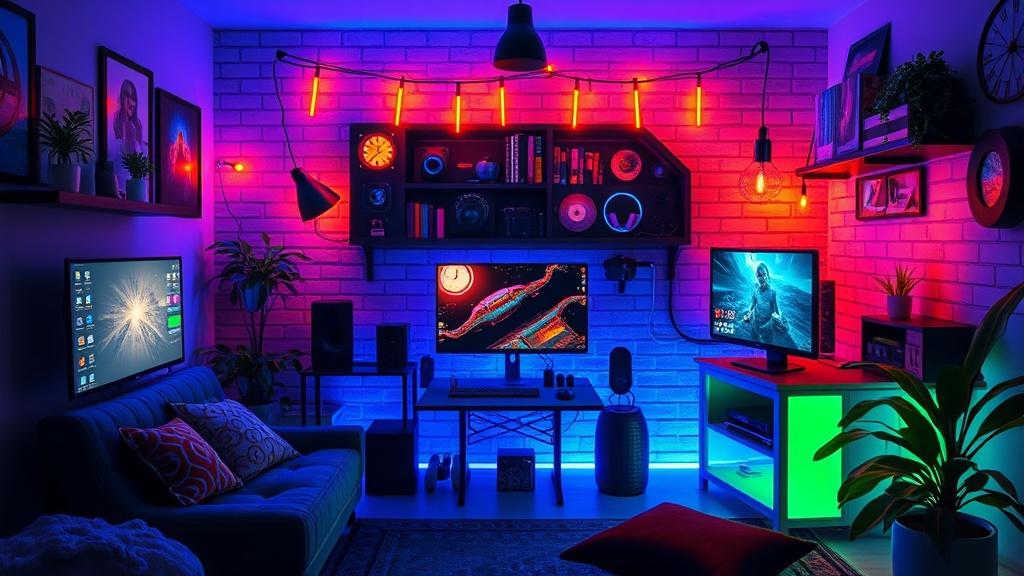
Build Your Digital Sanctuary: Designing a Cozy Gaming Nook on a Budget

A single lamp flickers in a dark room, casting a harsh, blue glare across a cluttered desk. A player sits hunched, shoulders pulled toward their ears, staring at a monitor that feels more like a source of stress than a gateway to adventure. The room is cold, the chair is a standard dining set, and the only light comes from the aggressive strobe of a high-intensity RGB keyboard. This isn't a sanctuary; it is a high-friction environment that drains mental energy long before the actual gameplay begins.
Creating a cozy gaming nook is not about purchasing the most expensive peripherals on the market. It is about intentionality. It is the process of transforming a utilitarian workspace into a dedicated space that signals to your brain: "It is time to relax." Whether you are playing a high-stakes tactical shooter or a slow-paced cozy farm sim, your environment dictates your physiological response. A well-designed nook manages light, sound, and ergonomics to prevent the physical and mental fatigue that often leads to the burnout cycle.
Phase 1: The Foundation of Comfort (Ergonomics on a Budget)
Before you consider aesthetics, you must address the physical toll of long sessions. A beautiful setup is useless if you are suffering from lower back pain or wrist strain. You do not need a $1,500 racing-style chair to achieve ergonomic stability; you need a setup that supports your natural posture.
The Seating Strategy
If a high-end ergonomic chair is out of your budget, look toward the secondhand market. Office liquidators often sell high-quality, used task chairs from brands like Herman Miller or Steelcase at a fraction of the retail price. If you are working with what you have, focus on lumbar support. A simple memory foam lumbar pillow or even a rolled-up towel placed at the small of your back can prevent the "gamer slouch" that leads to long-term spinal issues.
Desk Height and Peripheral Placement
Your elbows should ideally sit at a 90-degree angle while typing. If your desk is too high, you will inevitably hunch your shoulders. To fix this without buying a new desk, use a footrest. A simple wooden footstool or even a stack of sturdy books can elevate your legs, allowing your hips to sit at a more natural angle. For your mouse and keyboard, ensure your wrists remain neutral. Instead of expensive wrist rests, look for high-density foam pads or even a folded microfiber cloth to dampen the impact on your carpal tunnel.
Phase 2: Controlling the Sensory Environment
The difference between a "gaming station" and a "gaming sanctuary" lies in the sensory details. Most setups are too bright, too loud, or too visually chaotic. To build a cozy nook, you must learn to control the inputs entering your senses.
Warm Lighting vs. Harsh Blue Light
Standard overhead lighting is the enemy of coziness. It creates harsh shadows and causes eye strain. Instead, implement a "layered lighting" approach. Use a combination of low-intensity light sources to create depth. A Philips Hue smart bulb allows you to shift from a bright white to a warm amber in seconds, which is vital for transitioning from a high-focus mode to a relaxation mode. If you are on a strict budget, a simple salt lamp or a small Edison-style desk lamp provides a soft, warm glow that reduces the visual "noise" of your room.
The Importance of Soundscapes
Audio is often overlooked in setup design. While high-fidelity headphones are essential for competitive play, they can feel isolating and heavy during casual sessions. To create a sense of place, consider the ambient environment. Integrating a dedicated audio element—such as a small Bluetooth speaker playing low-fi beats or even the sound of rainfall—can ground your experience. For a deeper level of immersion, you might explore curating the perfect ambient soundscape to match the mood of the game you are playing.
Phase 3: Aesthetic Cohesion and Minimalism
A cluttered desk leads to a cluttered mind. The "aesthetic" gaming setups seen on social media often rely on an overwhelming amount of RGB lighting, which can actually be quite distracting and taxing on the eyes. A cozy nook thrives on a curated, cohesive look.
The "One-Color" Rule
To make a budget setup look professional and intentional, pick a color palette and stick to it. This doesn't mean everything must be the same color, but rather that your accents should harmonize. For example, a "Forest Sanctuary" theme might use deep greens, wood textures, and warm yellow lights. A "Cyber-Noir" theme might use matte black, dark purples, and dim neon. When your peripherals, mousepad, and even your desktop wallpaper follow a theme, the space feels designed rather than accidental.
Cable Management: The Hidden Key to Peace
Nothing breaks the "cozy" illusion faster than a "spaghetti mess" of black cables trailing behind a desk. You do not need expensive cable trays to fix this. Use Velcro ties (not plastic zip ties, which are permanent and can damage cables) to bundle your wires. Use adhesive cable clips to route your charging cables along the edge of your desk. A clean floor and a clear desk surface reduce visual friction, allowing you to focus entirely on the digital world rather than the physical clutter.
Phase 4: Personalization and Texture
A sanctuary should feel lived-in. While the digital world is made of pixels and light, your physical space should embrace texture. This is where you move away from the "tech" look and toward the "home" look.
Incorporating Soft Elements
Introduce soft textures to dampen sound and increase comfort. A large, high-quality desk mat (such as those from Loup Gaming or SteelSeries) provides a soft surface for your hands and a more controlled mouse movement. If you have space, a small area rug under your chair can define the "zone" of your gaming nook and add a layer of physical warmth to the room. Even a single textured throw blanket draped over your chair can make the space feel much more inviting during long sessions.
The Greenery Factor
Plants—even fake ones—are one of the most effective ways to breathe life into a tech-heavy space. The organic shapes and colors of greenery provide a necessary contrast to the hard lines of monitors and PC cases. A small IKEA Fejka artificial plant or a low-maintenance real plant like a Sansevieria (Snake Plant) can sit on your desk or a nearby shelf, adding a sense of calm and natural vitality to your setup.
A Final Checklist for Your Build
As you begin to assemble your space, keep this checklist in mind to ensure you are building for longevity and comfort rather than just temporary hype:
- Check your sightlines: Is your monitor at eye level? If not, use a monitor riser or a stack of books.
- Audit your light: Can you turn off the overhead light and still see your keyboard clearly?
- Test your reach: Are your most-used items (mouse, controller, drink) within an easy, non-straining reach?
- Evaluate the "Vibe": Does this space make you feel energized for a match, or relaxed for a journey?
Building a digital sanctuary is a continuous process. As your tastes evolve and your gaming habits change, your space should be able to evolve with you. Don't feel pressured to buy everything at once. Start with the foundation of comfort, layer in the light, and slowly add the details that make the space uniquely yours. Your goal is to create a place where, the moment you sit down, the stresses of the outside world begin to fade.
Steps
- 1
Define Your Zone and Lighting
- 2
Layer Your Textures
- 3
Curate Your Aesthetic Accents
- 4
Optimize for Comfort and Cable Management